AI conclusions and differentials: from findings to a complete report
In Blocks, Refertium's editor, AI only makes proposals you confirm: “Refine” cleans up the dictated text, “Conclusions” suggests the summary from your findings and “Differentials” lists the diagnoses to consider. Nothing goes into the report by itself, and you decide.
Refine
Dictate or write the findings the way you usually do, then press “Refine”. Blocks rereads the text and corrects typos, misheard words and punctuation. It shows the changes one by one, and changes that touch side, numbers, vertebral levels or negations are not preselected: you accept them only if they're right.
Refine only corrects the text you gave: it adds no conclusions and doesn't rewrite your report.
AI conclusions
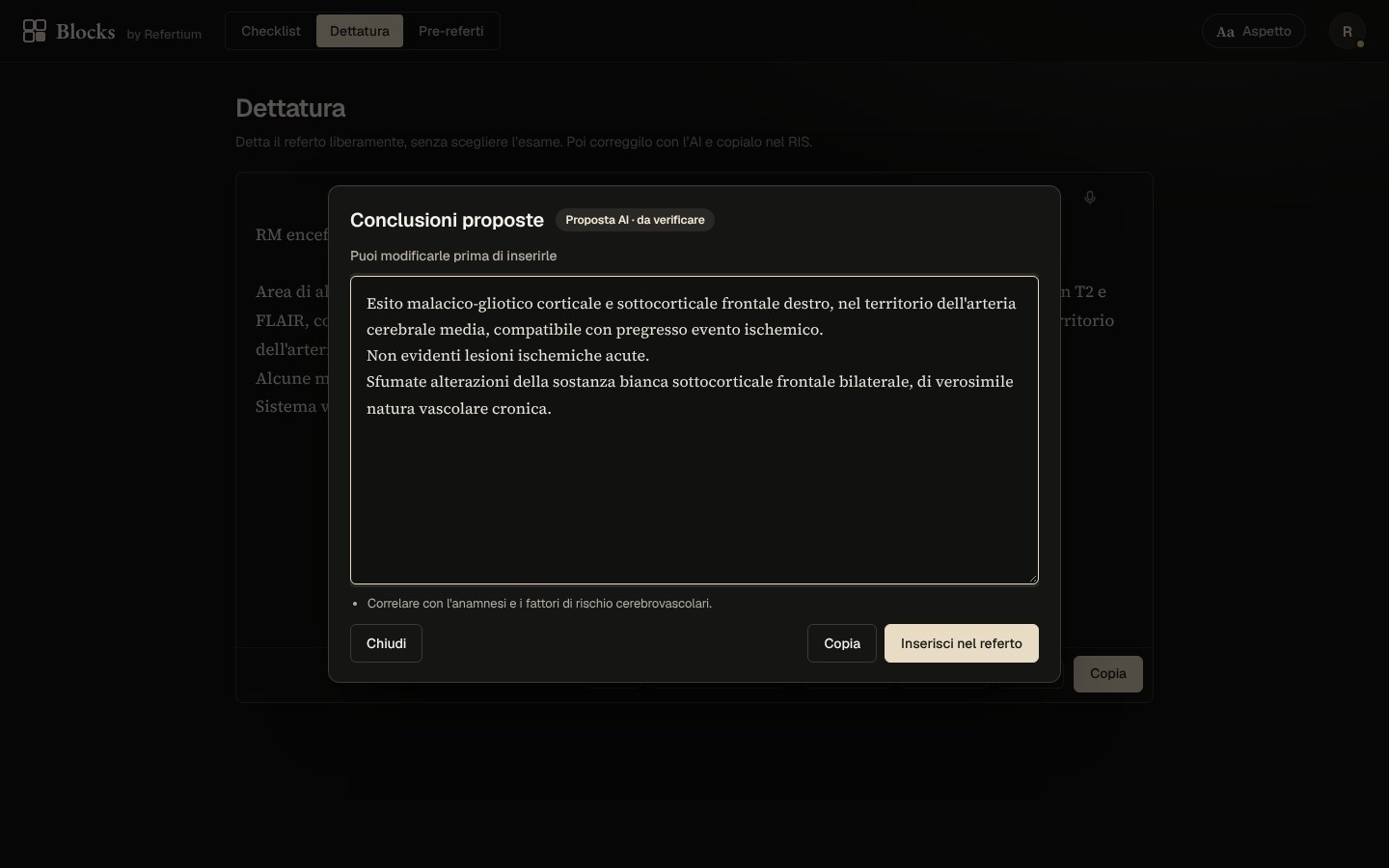
Once the findings are written, “Conclusions” suggests a summary based on them. It's a suggestion: you read it, edit or rewrite it, and only then insert it into the report.
Differentials
For a finding you want to reason about, “Differentials” lists 2 to 6 differential diagnoses with their likelihood, the elements for and against each one and what would help tell them apart. It's a reasoning aid: what goes into the report is up to you.
What it doesn't do
It doesn't read images, diagnose or make clinical decisions: it works only on the text you wrote. The report's content belongs to the radiologist who signs it.
Frequently asked questions
Does Refine write the conclusions too?
No. Refine only corrects the dictated text; conclusions come from a separate button, “Conclusions”.
Does anything go into the report automatically?
No. Refine, Conclusions and Differentials are proposals: nothing is inserted until you choose it.
Can I correct what it writes?
Always. Suggested conclusions can be edited before you insert them, and the report stays editable by hand.