AI isn't ready to read the images.
But it can help us write better, faster reports.
We didn't build an AI that replaces radiological judgment. We built a reporting assistant: it listens, organizes, completes and standardizes the clinical text, leaving control to the doctor.
Less friction
Reduces rewrites, manual editing and repetitive steps from one case to the next.
More accuracy
Sections, conclusions and recurring formulas become consistent checkpoints in the flow.
Your wording
Templates saved in your account and a dictionary that learns from your corrections.
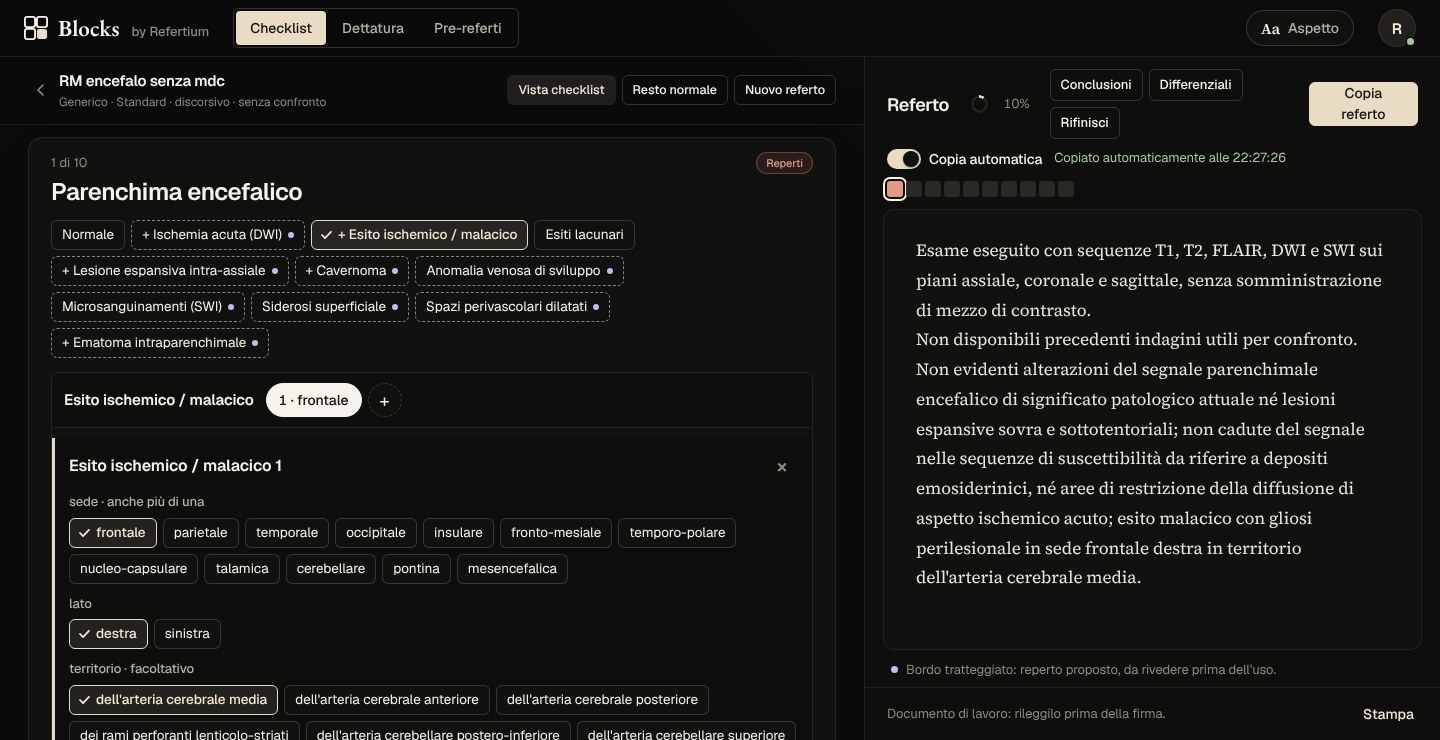
Blocks in 37 seconds
Three pillars. One workflow.
Voice, AI and block-based checklists, tailored to each doctor.
Voice recognition
Dictate naturally: Blocks transcribes in real time, you speak the punctuation and the dictionary learns from your corrections.
How it worksAI refinement
Refine fixes typos and misheard words; Conclusions and Differentials propose, you confirm.
How it worksBlock-based checklists
27 CT and MRI protocols: Normal in one click, findings with guided fields, the report writes itself as you click.
How it worksThe interface puts only what you need in front of you: the exam, one block per structure, the report building up on the right and the most-used AI commands.
Checklist
The tools, inside the report.
Fewer open tabs, fewer errors to proofread.
What you need while reporting is already in Blocks: comparison with the prior exam, templates, a radiology corrector and automatic copy. For classifications and calculations there are the site's free tools.
Templates in one click
Your library of ready-made texts, grouped your way. One click copies, double click edits; you can also save them straight from dictation.
Comparison with the prior
Set the prior exam and mark each finding as new, unchanged, reduced or increased: Blocks writes the comparison sentence.
Radiology corrector
Vertebral levels, measurements and acronyms written properly as you dictate: L4-L5, 3 x 4 mm, T2, FLAIR, DWI.
A dictionary that learns
Fix a misheard word by hand and Blocks offers to remember it. Next time it gets it right.
Level-based exams
In spine exams free text gets its level automatically: you dictate the finding, Blocks writes “L4-L5: …”.
Automatic copy
The report is on your clipboard while you build it: paste it into your RIS or PACS with no extra steps.
Zero installations. No integrations.
All it needs is an internet connection.
Refertium runs outside the clinical systems. It doesn't connect to RIS or PACS, it doesn't require hospital IT and it never receives identifying patient data.
Web-based
Open the browser, sign in and work. No client to deploy on the facility's computers.
No patient data
Blocks works on clinical text: names, IDs and patient details are not needed and must not be entered.
Isolated from the PACS
You paste the final report into the PACS. The platform never sees the clinical systems.
Personal account
Dictionary, templates and preferences live in your account: you find them on every computer.
Two ways to report. One result: cleaner, faster, more consistent reports.
Dictation
Dictate or type the way you already do, without choosing an exam. Blocks transcribes, fixes acronyms and measurements and leaves you a ready-to-use text.
- Real-time transcription
- Spoken punctuation
- Refine: typos and misheard words
Block-based checklist
Structure by structure, with guided-field findings that reduce omissions and repetitions.
- 27 CT and MRI protocols
- Normal in one click, “Rest normal” for the rest
- Conclusions proposed from the findings
Refertium in action
Tutorials and real demonstrations of the software, no fake demos.
The AI proposes. You decide.
Nothing enters the report without your click: every proposal can be read, edited and confirmed.
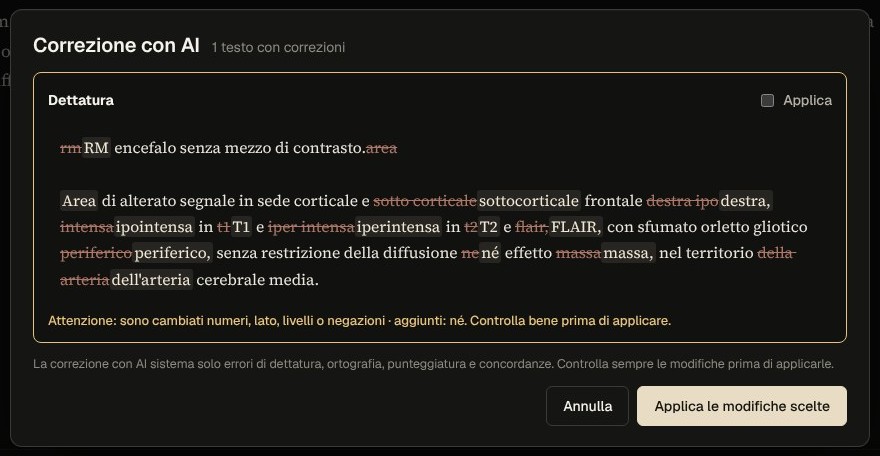
Refine re-reads what you dictated
It fixes typos, misheard words and punctuation and shows you every change. Changes touching side, numbers, levels or negations are not preselected.
Conclusions
A draft written only from the findings in the text, to edit before you insert it.
Differentials
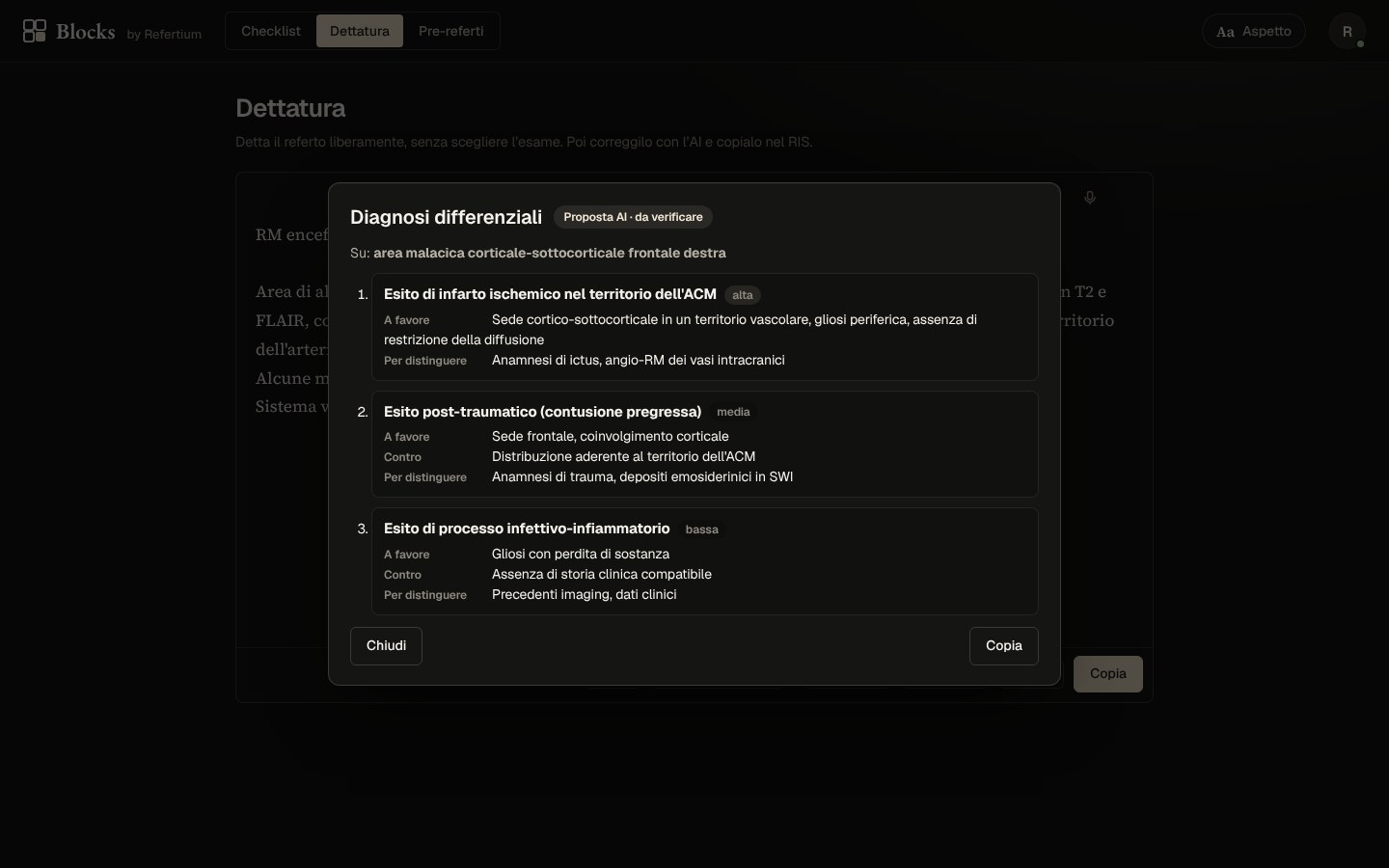
2 to 6 hypotheses, with likelihood, points for and against and what would help tell them apart.
Templates in your account
Save a dictated report as a template and find it on every computer, ready to copy.
AI features work only on the text you see, with no patient data. They are proposals: the report stays yours.
Try the AI features AI conclusions and differentialsFrequently asked questions
How to get started.
Write to us
Send your specialty and work context. We reply within 24 hours.
Call
20 minutes to understand exams, recurring phrases and preferences.
Setup
We show you Blocks and prepare your first templates with you.
Trial
You use Blocks with assisted support and quick adjustments.
Activate
You only pay if the trial convinces you, no card up front.